Enroll Personal Android devices with Work Profile
Prerequisites
AMAPI enrollments
Related Video: Enrolling a Device: Android
Personal Android devices (BYOD) can be enrolled in KACE Cloud by setting up an Android Work Profile.
To enroll a BYOD Android device:
- Go to the Devices tab in top navigation.
- Click Enroll Device.
- In the Enroll Device view that appears on the right, click Device Type, and select one of the following options:
- AMAPI enrollments: Select Android Management API (Work Profile).
- Android EMM enrollments: Select Android EMM (Work Profile).
- Complete the steps for enrolling a Work Profile Android device associated with your enrollment path, as applicable. You can also email these instructions to the device user and have them complete the procedure.
Android Management API (Work Profile)
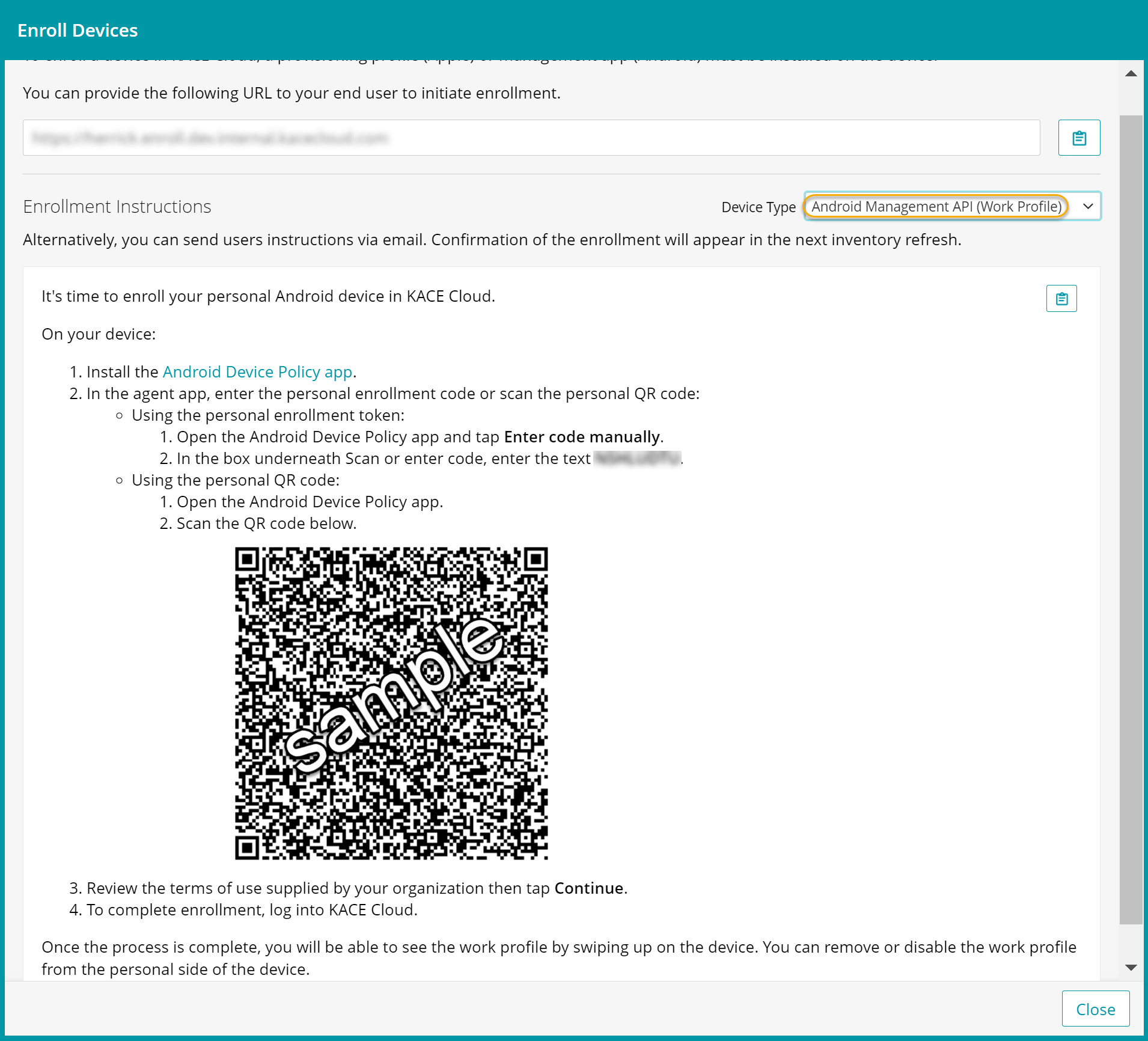
Android EMM (Work Profile)
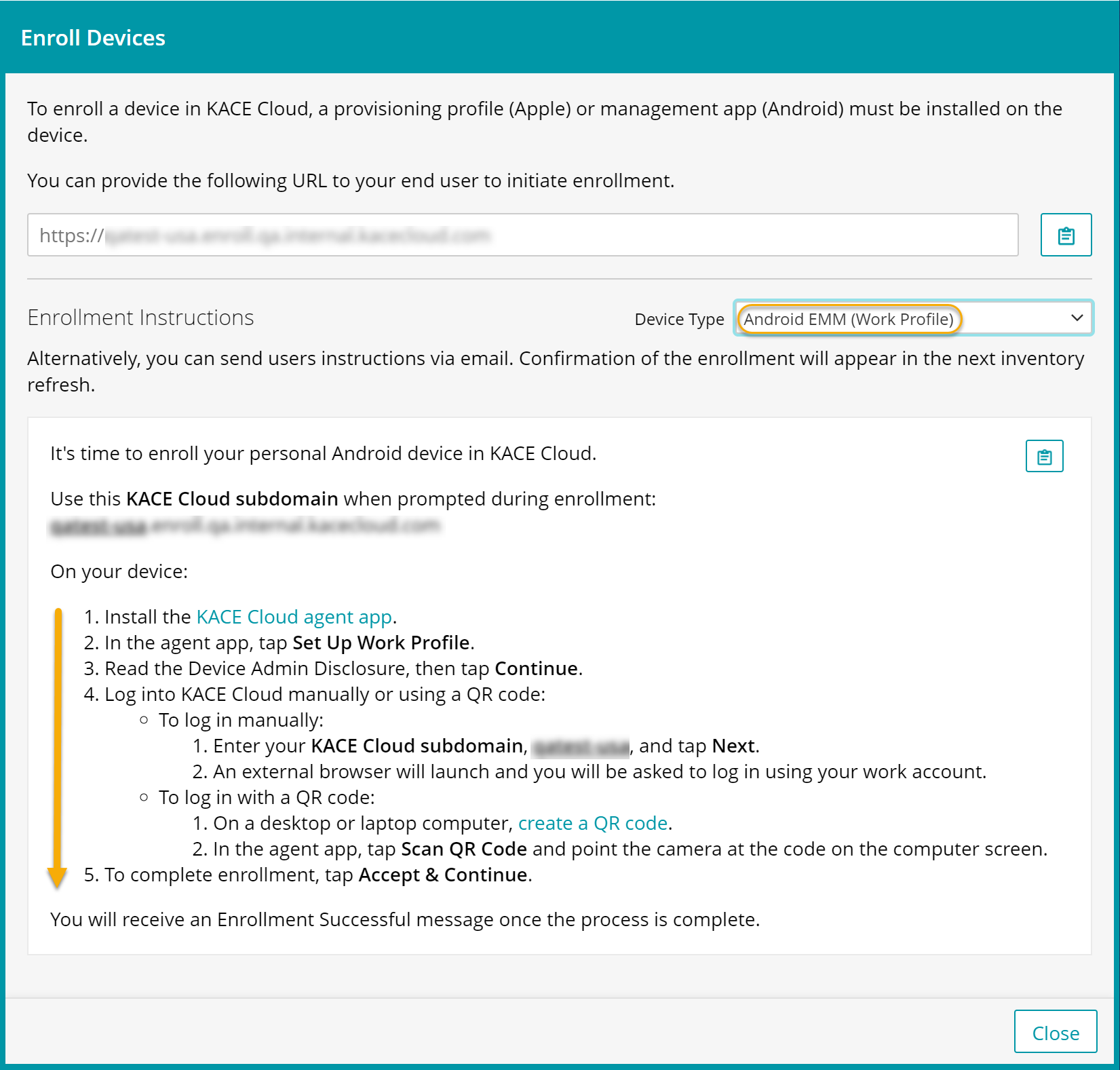
-
Locate the device in KACE Cloud.
-
Go to the Devices tab in top navigation.
An enrolled Android device is identifiable by the Android EMM
 or AMAPI
  device icon .
In the right panel, click Android to see all available actions for this Android device.
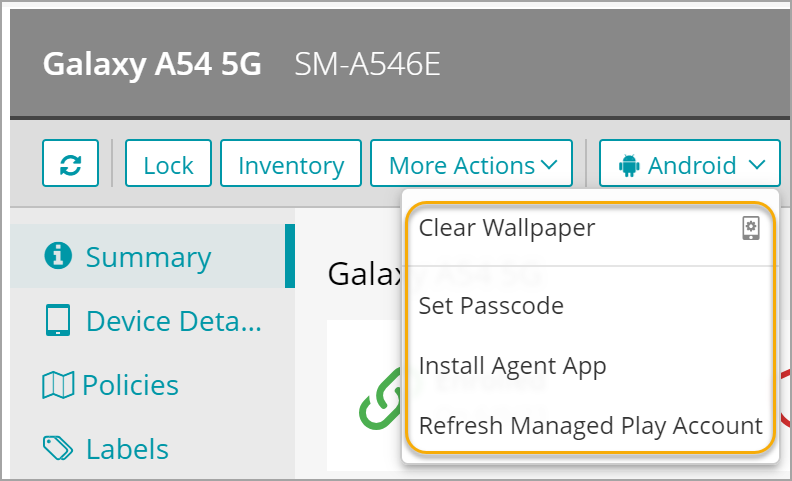
-
Unenroll Personal Android devices
You can unenroll a personal Android device using one of the following ways:
- Admin-initiated device unenrollment only.
- Select the Devices tab in top navigation.
- Select a device from the list.
- In the right panel, click the More Actions dropdown.
- Choose Unenroll Device.
- Click Confirm.
- User-initiated device unenrollment only. A device user can unenroll their device.
- To ensure the unenrolled status is captured accurately, the device user should unenroll using the KACE Cloud App.
Google Managed Account Authentication
After enabling Google Authentication, this is the final enrollment option for AMAPI devices. It currently supports only work profile enrollments. To use this option, you must link KACE Cloud to the Google Console project using a managed Google account.
Refer a video from Google demonstrating the enrollment here.